









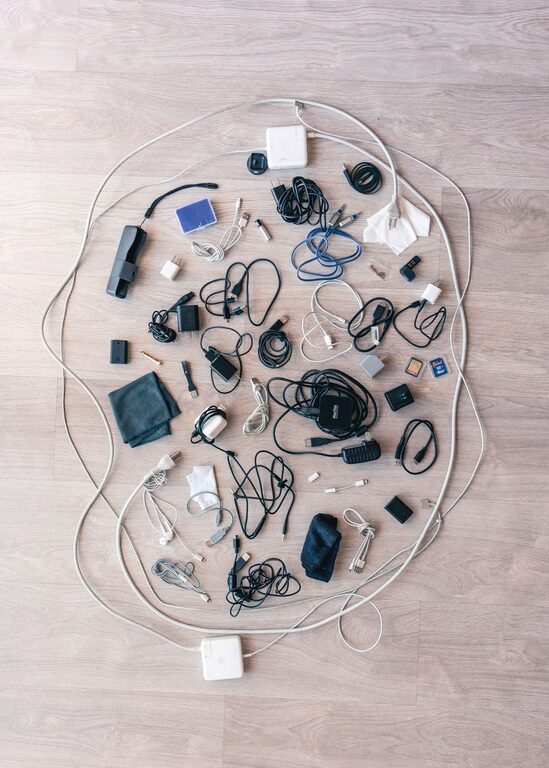
Keeping cables and chargers organized can make a desk, nightstand, or living room feel instantly cleaner. It also saves time when you need the right cord and helps prevent cables from becoming tangled, bent, or damaged.
The best system does not need to be complicated. With a few basic supplies and a clear plan, you can sort your cables, store extra chargers, and create a convenient charging area that is easy to maintain.
Start by Gathering Every Cable
Before organizing anything, collect all your cables and chargers from around the home. Check common places such as:
– Desk drawers
– Kitchen counters
– Bedside tables
– Sofas and chairs
– Travel bags
– Coat pockets
– Storage bins
– Car compartments
– Boxes where old devices are stored
Place everything in one area so you can see what you have. This step may reveal that you own several similar cables or chargers that have been separated over time.
Avoid trying to organize cables one drawer at a time. Gathering them together gives you a complete picture and makes it easier to remove duplicates.
Sort Cables by Type and Purpose
Once all your cables are in one place, sort them into groups. You can use small piles, trays, or containers while you work.
Useful categories include:
– Phone and tablet charging cables
– Laptop chargers
– Audio and video cables
– Computer and printer cables
– Camera and gaming cables
– Travel chargers
– Extension cords and power strips
– Cables that are no longer used
You can also group cables by where they are used. For example, keep work-from-home cables together, entertainment cables in another group, and travel cables in a separate pouch.
Do not worry about creating a perfect system immediately. The goal is to make each cable easier to identify and return to its proper place.
Remove Unused and Damaged Cables
Sorting is a good opportunity to reduce clutter. Set aside cables that are broken, frayed, missing important parts, or connected to devices you no longer own.
Look for signs of damage, including:
– Exposed wires
– Cracked insulation
– Loose connectors
– Bent plugs
– Discoloration
– Overheating during use
Damaged cables should not be used. Check local recycling guidance before disposing of electronic accessories, as some areas have special collection programs.
For cables that you cannot identify, place them in a separate box labeled “check later.” Set a reminder to review the box after a few months. If you still have no use for them, you may be ready to let them go.
Choose a Dedicated Storage Area
A dedicated storage location prevents cables from spreading throughout your home. Choose a place that is easy to reach but does not interfere with daily activities.
Good options include:
– A desk drawer
– A small cabinet
– A shelf near your main charging area
– A labeled storage box
– A drawer organizer
– A fabric basket
– A portable electronics case
Keep frequently used cables in an easy-to-reach location. Store occasional-use cables, such as camera or travel accessories, in a separate container.
If several people share the same space, consider creating one central cable station. This makes it easier for everyone to find and return chargers.
Use Simple Cable Management Supplies
You do not need expensive equipment to keep cables tidy. A few low-cost supplies can make a noticeable difference.
Helpful items include:
– Reusable hook-and-loop straps
– Cable clips
– Small zipper pouches
– Drawer dividers
– Label stickers
– Cord sleeves
– Small boxes
– Cable ties designed for reuse
– A power strip with mounting options
Reusable straps are especially useful because they can be adjusted as needed. Avoid pulling disposable plastic ties tightly around cables, since they can make storage less flexible and may put pressure on the cord.
Small pouches work well for individual devices or travel kits. Clear containers can also help you see what is inside without opening every box.
Label Chargers and Cables
Labels remove much of the guesswork from cable storage. You can label a cable by its device, purpose, or location.
Examples include:
– Tablet
– Work laptop
– Camera
– Guest room
– Travel
– Monitor
– Speakers
– Backup
Place the label near one end of the cable so it remains visible when the cord is stored. For chargers with removable cables, label both the power adapter and the matching cord.
If several cables look alike, use different colored labels or small pieces of colored tape. Keep the color system simple, such as blue for work devices, green for household devices, and yellow for travel items.
Coil Cables Without Damaging Them
The way you coil a cable affects how long it lasts. Avoid wrapping cords tightly around chargers, plugs, or your hand. Tight bends can weaken the internal wires over time.
Instead:
- Straighten the cable.
- Hold one end loosely.
- Make wide, even loops.
- Secure the loops with a reusable strap.
- Store the cable without placing heavy items on top of it.
For long cables, use a figure-eight coil to reduce twisting. Keep connectors facing outward when possible so they are easy to locate.
Never force a cable into a small container. If the loops are compressed, choose a larger pouch or storage box.
Create a Practical Charging Station
A charging station keeps daily-use devices and cables in one convenient location. It can be as simple as a tray beside an outlet or a shelf with a power strip.
A useful charging station should include:
– Enough outlets for commonly used devices
– Space for devices to rest while charging
– A way to guide cables toward the front
– Labels for chargers that look similar
– Clear access to the power switch
Cable clips can hold charging cords at the edge of a desk or nightstand. This prevents them from falling to the floor when unplugged.
Keep the station free of unrelated items. A clear surface makes it easier to spot missing cables and reduces the chance of pulling the wrong cord.
Manage Cables Behind a Desk or Entertainment Center
The area behind a desk or television often becomes a tangle of wires. Start by unplugging and identifying each cable. Take a quick photo before disconnecting complex equipment so you can remember where everything belongs.
Then group cables by destination. For example, cables that connect to a monitor can be bundled together, while power cords can follow a separate path.
Use clips, sleeves, or reusable straps to keep groups together. Leave enough slack for cleaning and for moving equipment. Do not bundle cables so tightly that they are difficult to remove.
A label at both ends of a long cable can be helpful. This lets you identify it without tracing the entire length.
Store Travel Chargers as a Separate Kit
Travel chargers are easier to manage when they are stored together. Keep a small pouch packed with the accessories you commonly take on trips.
A travel kit might include:
– One or two charging cables
– A wall adapter
– A compact power strip
– A car charger
– A portable battery
– Cable straps
– Plug adapters, if needed for your destination
Store the kit near your luggage or in a regular travel drawer. After each trip, return everything to the pouch so it is ready for the next one.
Avoid packing every cable you own. A small, focused kit is easier to carry and less likely to become tangled.
Maintain the System Regularly
Cable organization works best when it becomes a small habit. Spend a few minutes each month returning loose cables to their storage areas and removing items that no longer belong.
A simple maintenance routine can include:
– Returning chargers after use
– Wiping dust from the charging area
– Checking cables for damage
– Replacing missing labels
– Removing duplicate accessories
– Untangling cords before storing them
– Reviewing the “check later” box
When a new device enters your home, decide where its charger will live before opening another drawer. This keeps the system from becoming cluttered again.
Make Organization Easy to Follow
The best cable system is one that matches your daily habits. If a storage box is difficult to open, cables will probably end up on the nearest surface. If labels are too detailed, they may be ignored.
Keep the arrangement simple:
– Store daily-use items close by.
– Group similar items together.
– Label anything difficult to recognize.
– Use flexible storage supplies.
– Leave room for future devices.
– Review the collection regularly.
With a dedicated storage area, clear labels, and a few reusable organizers, cables and chargers can stay neat without requiring much effort. The result is a cleaner space, faster access to the right accessory, and less frustration when it is time to charge a device.