









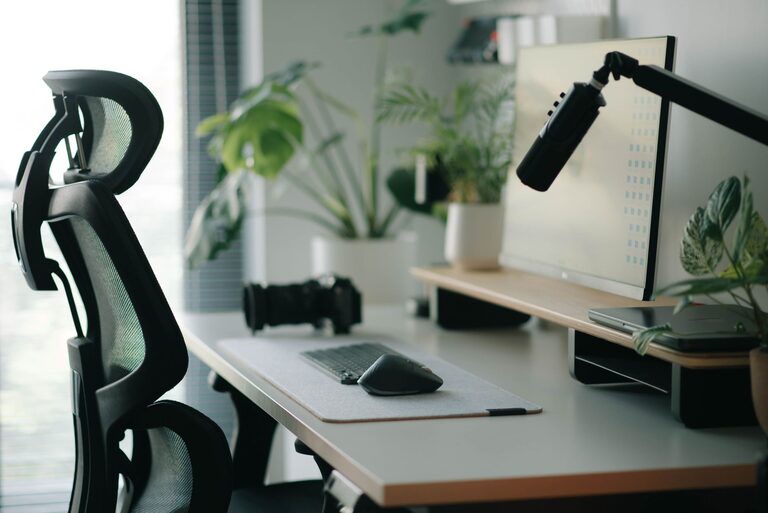
A well-planned desk setup can make work feel easier and more enjoyable. Your surroundings affect how quickly you find what you need, how often you get distracted, and how comfortable you feel during long periods at your desk.
You do not need expensive equipment or a large room to improve your workspace. Small changes to your desk height, lighting, organization, and daily habits can make a noticeable difference. Use the tips below to create a setup that supports both focus and comfort.
Start With the Right Desk Position
Your desk location can shape your entire workday. If possible, place your desk in an area with steady natural light and limited foot traffic. A quiet corner can help reduce interruptions, while a position near a window may make the space feel more open.
Avoid placing your screen directly in front of a bright window. Strong light behind the screen can create reflections, while bright light behind you may cause glare. A position that places the window beside your desk often provides a good balance.
Consider how your desk fits into the room:
– Keep enough space to move your chair easily.
– Position frequently used items within reach.
– Leave room for cables and power connections.
– Avoid placing the desk where doors or drawers block movement.
– Keep the background simple if you attend video meetings.
If you share a room, use a small shelf, plant, or screen to create a visual boundary. This can help separate work time from other activities.
Adjust Your Chair and Desk Height
Comfort begins with a chair and desk that work well together. When you sit down, your feet should rest comfortably on the floor or on a stable footrest. Your knees should be positioned at a relaxed angle, and your shoulders should not feel raised or tense.
Adjust your chair so that:
– Your feet remain supported.
– Your elbows can rest near your sides.
– Your shoulders stay relaxed.
– You can sit back without leaning too far forward.
– The seat supports you without pressing uncomfortably behind your knees.
Your desk should allow your forearms to sit roughly parallel to the floor when you type. If the desk is too high, you may find yourself lifting your shoulders. If it is too low, you may lean forward or bend your wrists.
A chair with adjustable height, back support, and armrests can be helpful, but the most important feature is adjustability. Even a basic chair can work well when it is set up carefully.
Place Your Monitor at a Comfortable Height
A poorly positioned monitor can encourage awkward posture and make it harder to concentrate. Place the main screen directly in front of you so you do not need to turn your head repeatedly.
The top of the screen should generally be near eye level, although the best position depends on your posture and screen size. You should be able to view the middle of the display without constantly bending your neck.
Keep the monitor about an arm’s length away, then adjust the distance based on text size and viewing comfort. If you often lean toward the screen, increase the text size or move the monitor slightly closer.
For a laptop, consider using a separate keyboard and mouse. This allows you to raise the screen while keeping your hands in a more comfortable position.
Use Lighting That Supports Focus
Good lighting makes it easier to read and reduces the need to squint. Aim for a combination of room lighting and task lighting rather than relying on a bright ceiling light alone.
A desk lamp can provide focused light for writing, reading, or reviewing printed documents. Place it on the opposite side of your writing hand when possible to reduce shadows.
Keep these lighting tips in mind:
– Use soft, even light across the desk.
– Reduce reflections on your monitor.
– Avoid placing a bright lamp directly behind the screen.
– Adjust brightness as natural light changes during the day.
– Choose a lamp with a flexible neck for easy positioning.
A warm, comfortable light may work well in the evening, while a brighter neutral light can help during detailed tasks. The best choice is the one that lets you work without glare or eye strain.
Keep the Desk Clear and Practical
A crowded desk can create visual noise and make simple tasks take longer. Start by removing items you rarely use. Keep only the tools you need for your current work close at hand.
Organize your desk into zones:
Primary Zone
This is the area directly in front of you. Keep your keyboard, mouse, notebook, and other daily essentials here.
Secondary Zone
Place less frequently used items, such as reference books, chargers, or a calculator, slightly farther away but still easy to reach.
Storage Zone
Use drawers, shelves, or containers for items you do not need during every task. Labeling small containers can make it easier to put things away.
Try to finish each work session with a quick reset. Return supplies to their usual places, clear old papers, and prepare the items you will need next. A tidy starting point can make it easier to begin the following day.
Manage Cables and Technology
Loose cables can make a desk look messy and create unnecessary obstacles. Group cables by purpose and guide them toward the nearest power source using clips, ties, or a cable tray.
Helpful cable habits include:
– Label chargers and power cords.
– Keep frequently used cables easy to access.
– Store spare cords in one container.
– Avoid tightly bending cables.
– Leave enough slack for normal movement.
If you use several devices, consider whether all of them need to remain on your desk. Moving tablets, speakers, or extra accessories to a nearby shelf can create more usable workspace.
You can also reduce digital distractions by organizing your computer desktop, closing unused browser tabs, and turning off nonessential notifications. A clean physical desk and a clean digital workspace support the same goal: fewer interruptions.
Add Personal Details With Purpose
Personal touches can make your workspace more inviting, but too many decorations may become distracting. Choose a few items that provide value or create a pleasant atmosphere.
Useful additions might include:
– A small plant
– A simple calendar
– A favorite photo
– A small desk clock
– A notebook for ideas
– A soft desk mat
Keep decorative items outside your main working area. This preserves space for your keyboard, writing materials, and other essentials while still allowing your personality to show.
Build Breaks Into Your Routine
Even a carefully arranged desk cannot replace regular movement and changes in activity. Include short pauses throughout the day to stand, walk, stretch lightly, or look away from the screen.
You can use natural transition points as reminders:
– After finishing an email group
– Before starting a new task
– At the end of a meeting
– When refilling a drink
– Before lunch or the end of the workday
During breaks, step away from the desk when possible. This creates a clearer boundary between focused work and rest.
Review Your Setup Regularly
Your needs may change as your projects, schedule, or equipment change. Set aside a few minutes every few weeks to review your workspace.
Ask yourself:
– Is anything difficult to reach?
– Do I frequently adjust my posture?
– Are cables in the way?
– Is the lighting comfortable at different times of day?
– Do I have enough space for current tasks?
– Which items can be removed or stored elsewhere?
Make one or two small changes at a time and observe how they affect your work. A comfortable desk setup is not a fixed arrangement. It is a practical system that should adapt to the way you use it.
With thoughtful positioning, simple organization, and regular breaks, your desk can become a calmer and more effective place to work. Focus does not come from one perfect accessory; it comes from creating an environment that makes good work easier.